Mac Volume Mixer & Audio
Control Center for macOS
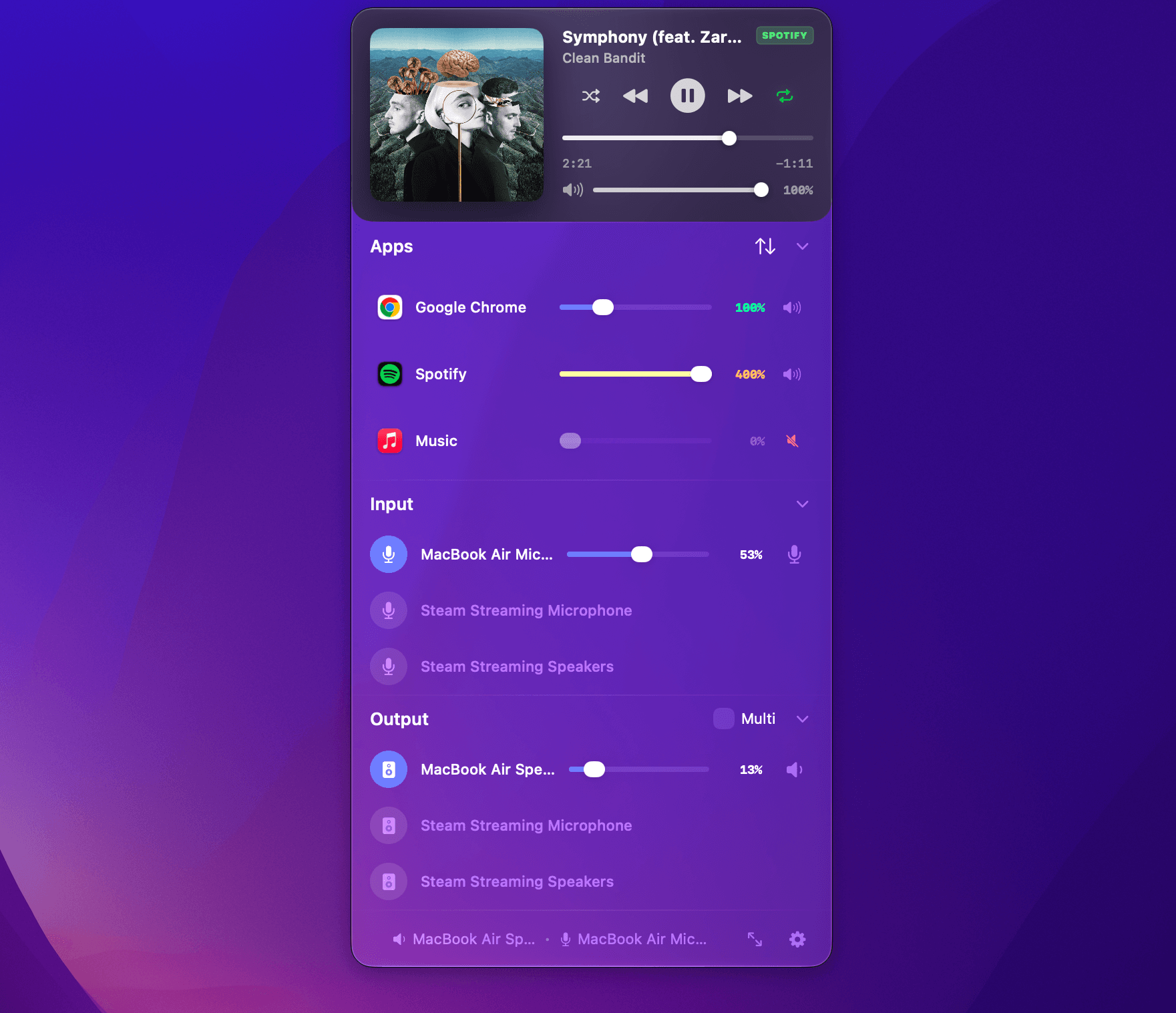
Per-app volume mixing • 400% volume boost • 10-band system EQ • Multi-device routing • Internal audio recording
Target Audience
Who Is Audia For?
Built for people who want total control, better sound, and a faster audio workflow on macOS.
Mac users who want real control over sound
Windows switchers who miss the volume mixer
Students who need focus and excel
Remote workers balancing meetings & music
Audiophiles tuning their headphones
Content creators recording system audio
Productivity enthusiasts for maximum output
Power users with demanding tasks
If you care about your audio — Audia is for you.
How Audia compares:
See how Audia compares across every core audio capability against FineTune, BetterAudio, SoundSource, and Loopback + Audio Hijack.
FAQ
Frequently Asked Questions
Everything you need to know about per-app volume mixing, EQ presets, and recording on macOS.
Why do I need Audia? Doesn’t macOS already have volume control?+
macOS only gives you one master volume slider.
Audia gives you:
- Per-app volume control
- App-specific routing
- System-wide + per-app EQ
- Clean system audio recording
- Ambient sound mixing
- Smart profiles
If you’ve ever adjusted your music because Zoom was too quiet — you need Audia.
Is Audia safe to use?+
Absolutely.
Audia runs locally on your Mac and does not collect or transmit your audio data. Any permissions requested (like microphone or system audio access) are strictly required for features like recording or routing.
Your audio stays on your device.
Can I boost volume beyond 100%?+
Yes.
Audia lets you boost individual apps up to 400%. Perfect for:
- Quiet videos
- Low-volume streams
- Soft-spoken meetings
No need to max out your system volume.
Can I record only one app (like Zoom) without recording everything else?+
Yes.
Audia allows per-app recording. You can record a meeting while listening to music — and your music won’t be included in the recording.
Clean, isolated capture.
Can I create different audio setups for work and entertainment?+
Absolutely.
With Smart Profiles, you can save complete setups including:
- Mixer levels
- EQ settings
- Routing
- App boosts
Switch between Meeting Mode, Movie Mode, Focus Mode, or Gaming Mode instantly.
Is there a subscription?+
Audia is free to download.
Audia offers a free version with a Trial Period for all the features. We operate on a Freemium Model basis because of our commitment towards our customers of making their Mac Experience better. But due to the costs associated with Development and Operations, we also have a Pro version available for our paid customers.
There are two options:
- Monthly Subscription: Pay on a monthly basis for how long you want to use the Pro Features.
- One-time Purchase: No subscription. Pay once. Own it.
The best thing of all: The Volume Mixer is always going to remain free to use.
What macOS versions are supported?+
Audia supports modern macOS versions optimized for Apple Silicon and Intel Macs.
I’m switching from Windows and miss the volume mixer. Is this similar?+
Yes — but much more powerful.
Audia brings the per-app mixer you’re used to from Windows, plus system-wide EQ, recording, routing, ambient sounds, and smart profiles.
It’s the mixer macOS should have shipped with.
Do I need technical knowledge to use Audia?+
Not at all.
Audia is designed to be intuitive and accessible from the menu bar. Advanced features are available — but never overwhelming.
Simple when you want it. Powerful when you need it.
What if I run into issues?+
We offer responsive support and continuous updates to improve compatibility and performance.
You won’t be left on your own.
Ready to hear the difference
Download Audia for macOS
Native menu bar experience. Fast controls. Beautiful sound. Built for Apple Silicon and Intel Macs.